








How to stake MON with MetaMask
Our staking tutorials provide comprehensive guidelines on how to stake MON. Are you ready to join our staking community?
Follow this step by step below

Open MonadVision and connect your wallet
Learn how to start staking MON on MonadVision! Start by opening its dashboard. Now, connect your wallet. If it's your first time, your wallet may ask for permissions to add the Monad network. Approve them to continue.

Step 1 of the Monad tutorial for staking using MetaMask
Select Stakely (ID 66) as your validator
Once your wallet is connected, open the Validators section. Browse the list or use the search bar to find Stakely (validator ID 66).
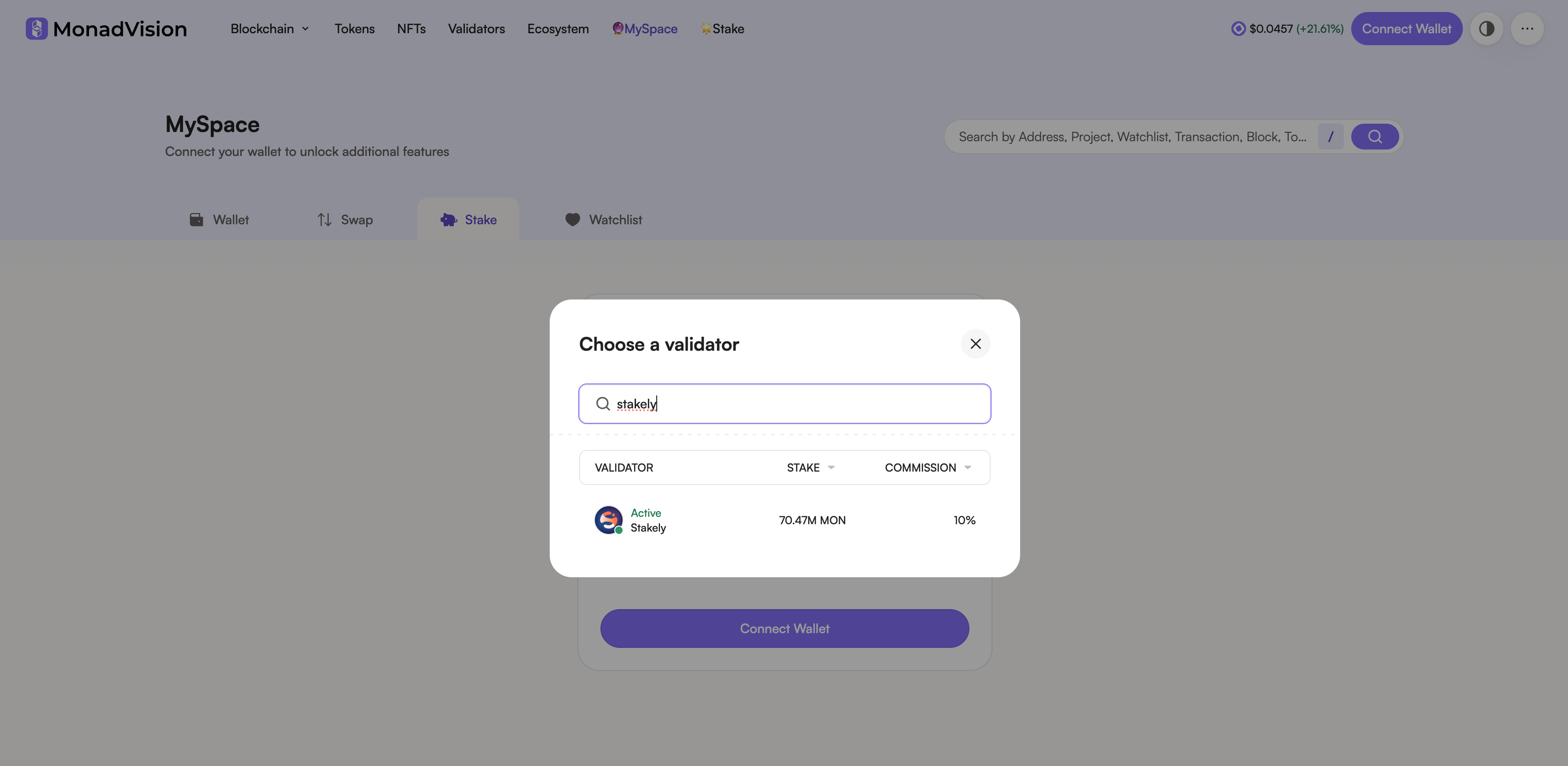
Step 2 of the Monad tutorial for staking using MetaMask

Enter the amount of MON and confirm your delegation
Type the amount of MON you want to delegate. Click Stake to proceed. Your wallet will show a confirmation window, review the transaction and approve it in your wallet. Once confirmed, your MON will be successfully staked with Stakely!
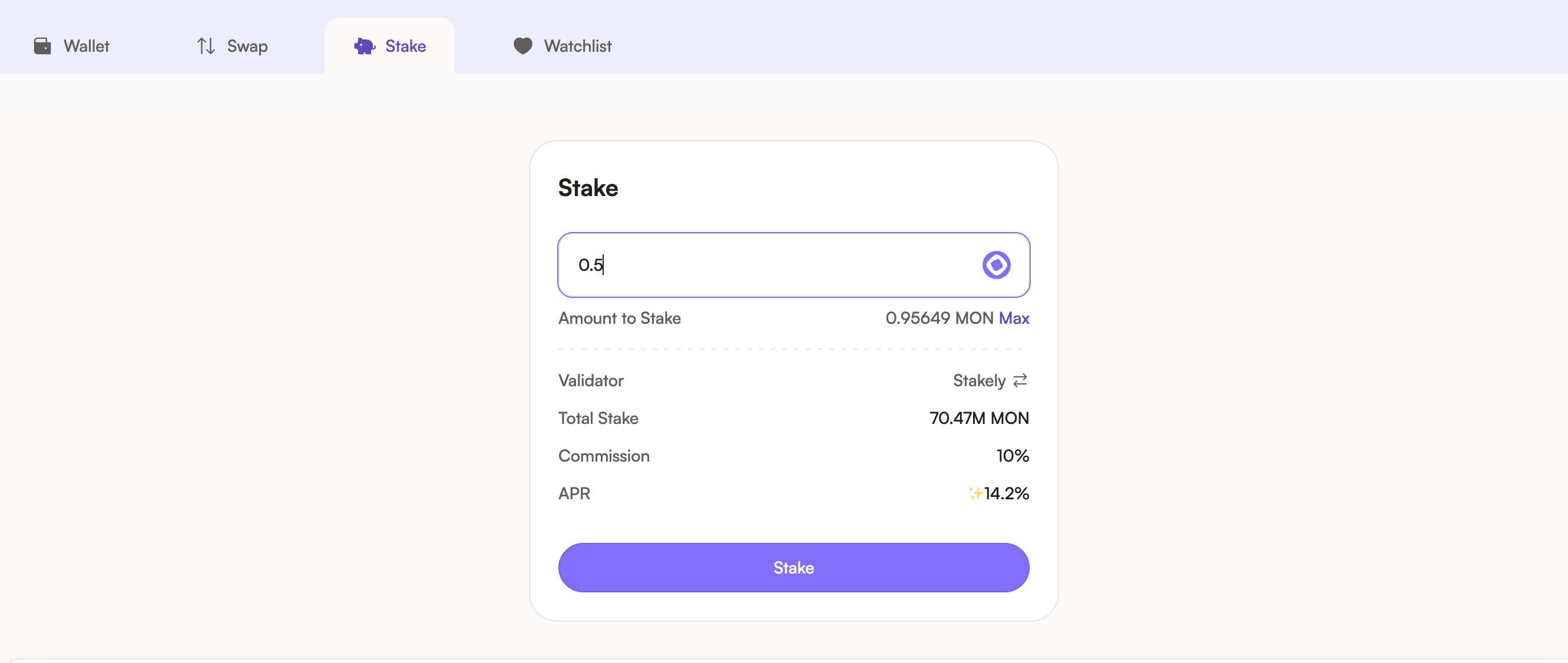
Step 3 of the Monad tutorial for staking using MetaMask
You can also stake with others wallets

Join our community
Discover more about us and stay connected with the latest updates and community insights


