







How to stake LITKEY with Rabby
Follow this step by step below

Create your Rabby wallet
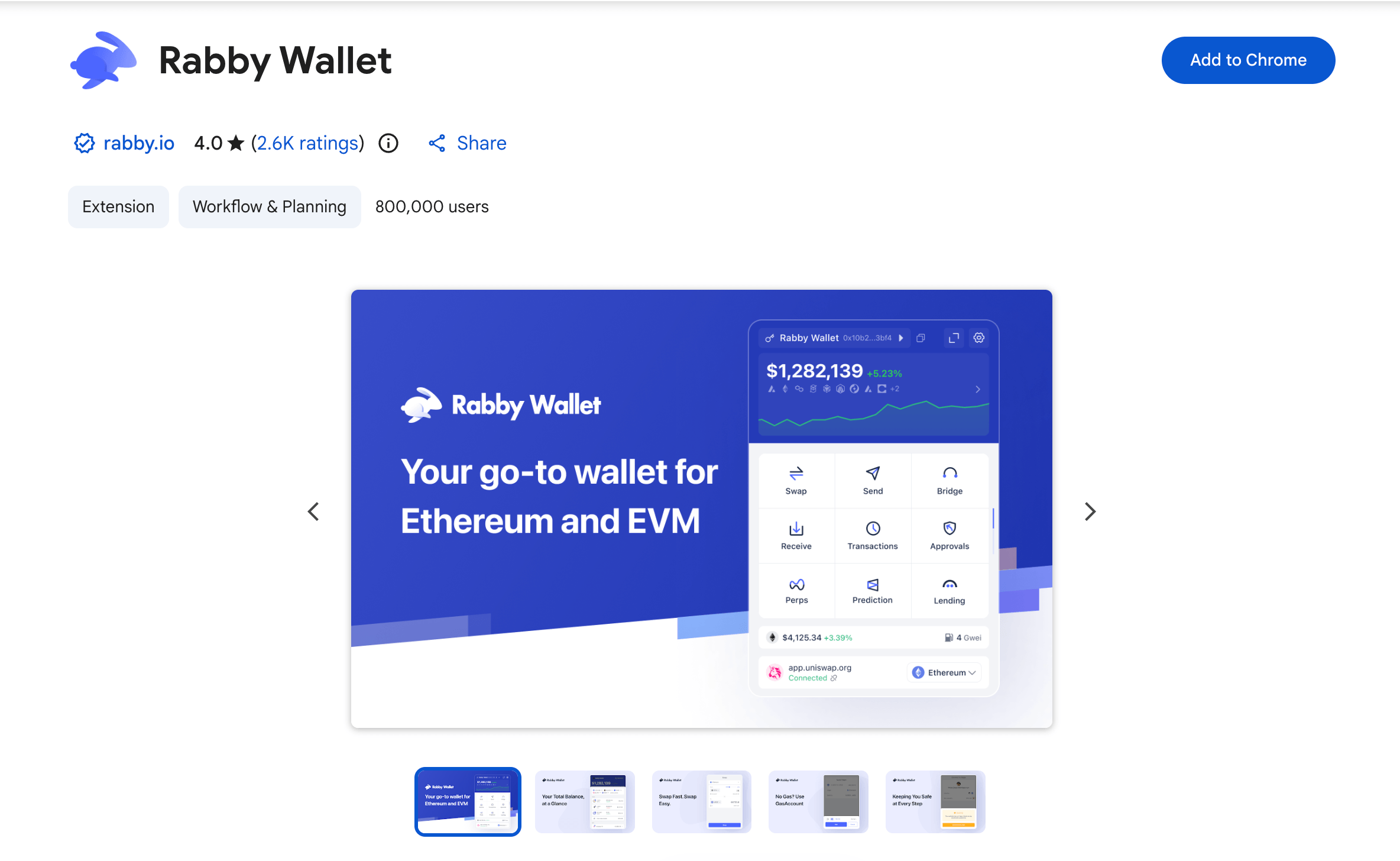
To stake LITKEY, you will need a compatible wallet. Install the Rabby Wallet extension in your browser. From the extension, you can create a new wallet, import an existing one, or connect it to your hardware device if you use one. Make sure to choose a strong password and store it in a safe place.

Connect your wallet to the Lit Protocol app
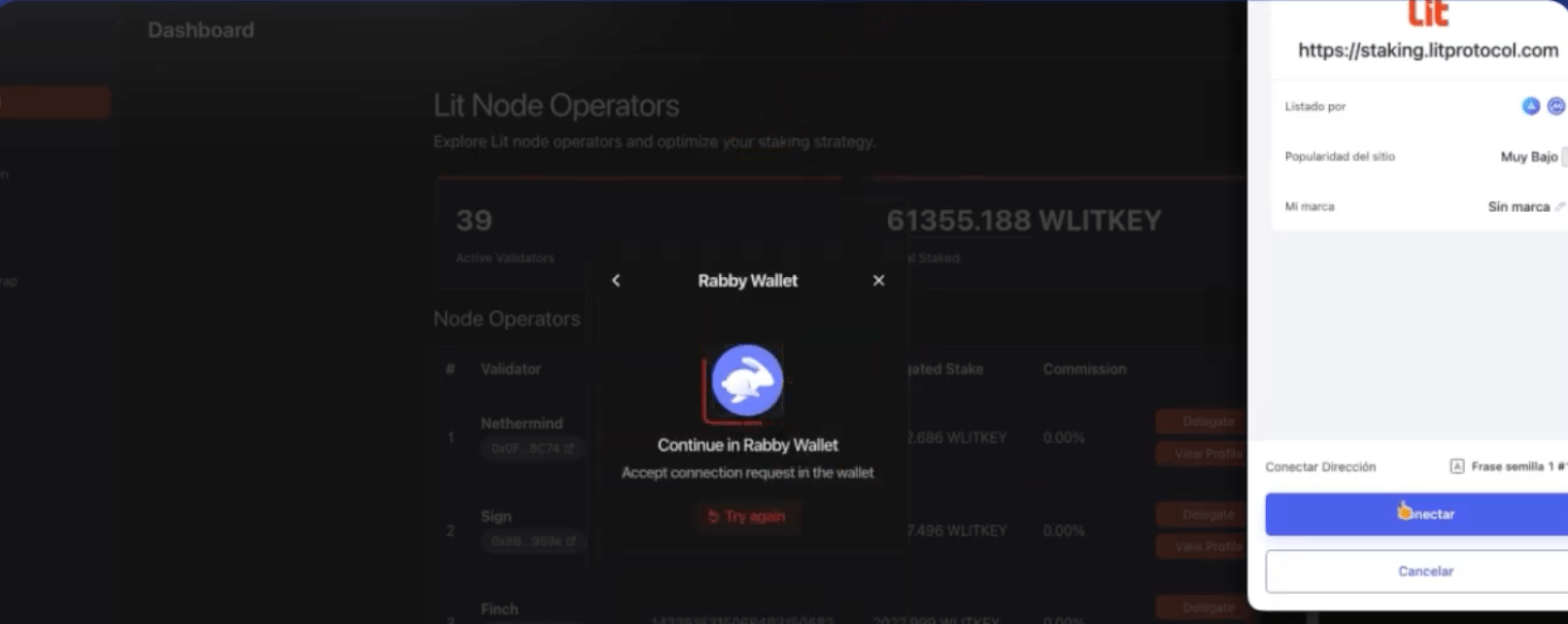
Once your Rabby wallet is ready, go to staking.litprotocol.com and click Connect Wallet to connect your wallet. Then select Rabby from the list.

Wrap your LITKEY into WLITKEY
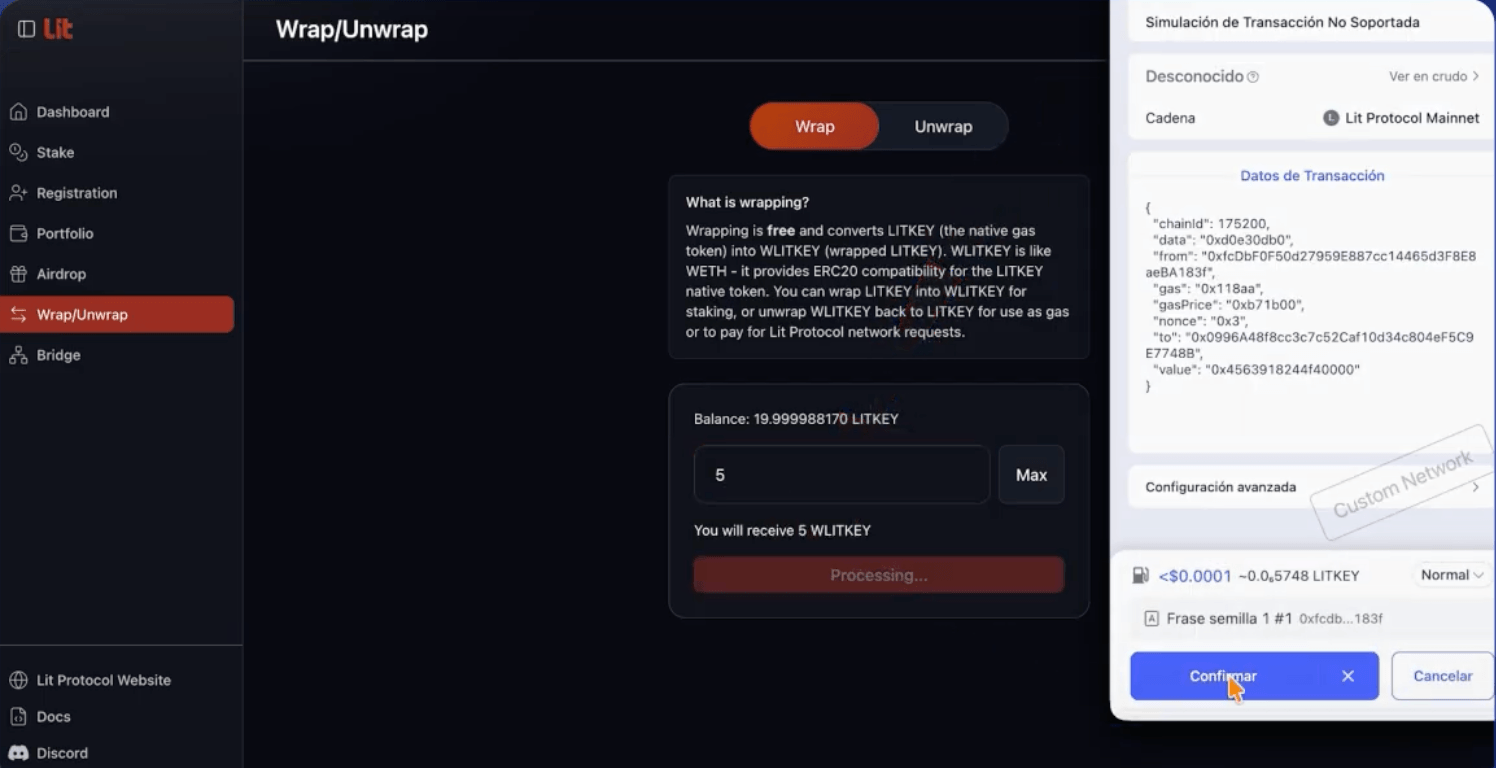
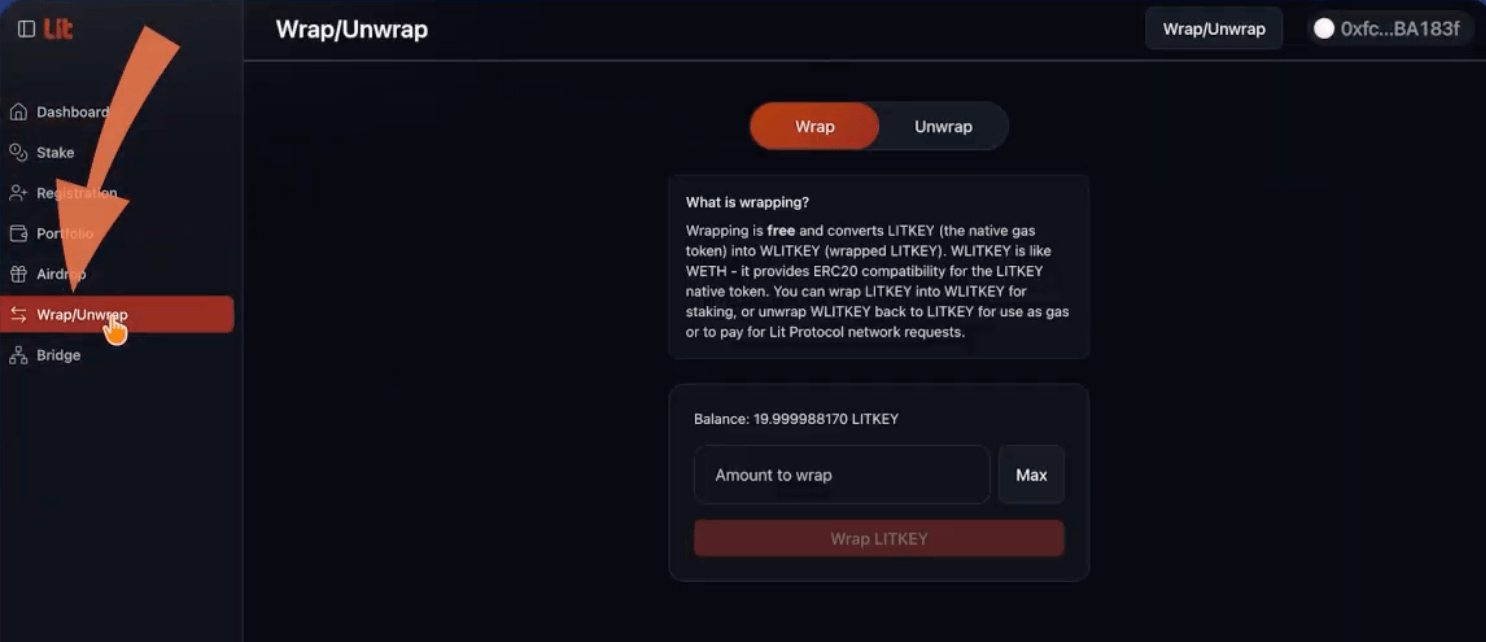
Before you can stake your tokens, you first need to convert your LITKEY into WLITKEY. Click Wrap/Unwrap in the sidebar, enter the amount you want to convert, and click Wrap LITKEY. Then approve the transaction in your Rabby wallet.

Stake WLITKEY with Stakely
Once you have your WLITKEY, click Stake in the side menu. Find Stakely in the list of validators, enter the amount of WLITKEY you want to stake, and select the lock-up period. Finally, click Create Stake and approve the transaction in Rabby.