









 Sonic staking

How to liquid stake S on Beets with Rabby
Our S staking tutorials provide comprehensive guides on how to liquid stake S on . Are you ready to unlock your liquidity?
Follow this step by step below

Connect your wallet on Beets
Go to the official Beets staking page and click Connect Wallet. Select Rabby Wallet, which is the one we use in this tutorial, but remember you can also use any of the other compatible wallets.
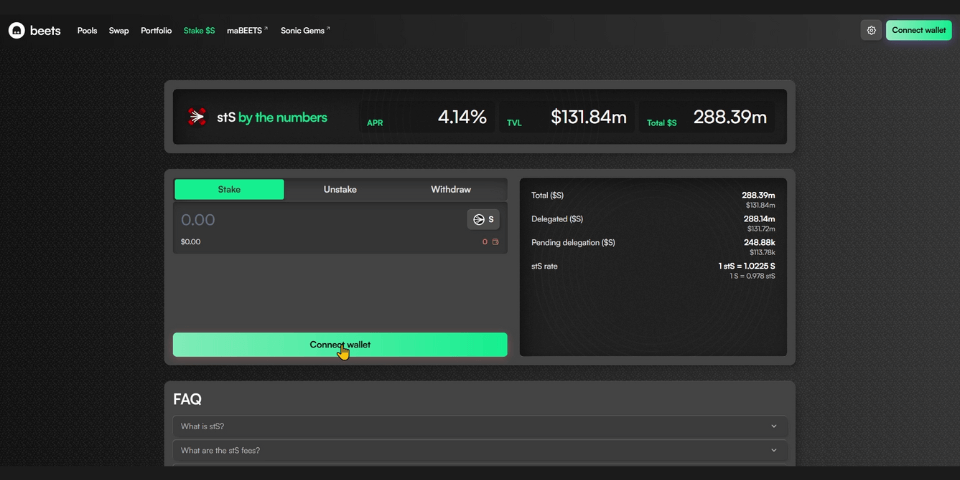
Step 1 of the Sonic tutorial for staking using Rabby on Beets

Stake S
Enter the amount of S you want to stake, then click Next followed by Stake.
When you stake S on Beets, you’ll receive stS, a token that increases in value relative to your staked S as rewards accumulate. You can also use stS in DeFi protocols to generate additional yield on top of your staking rewards.
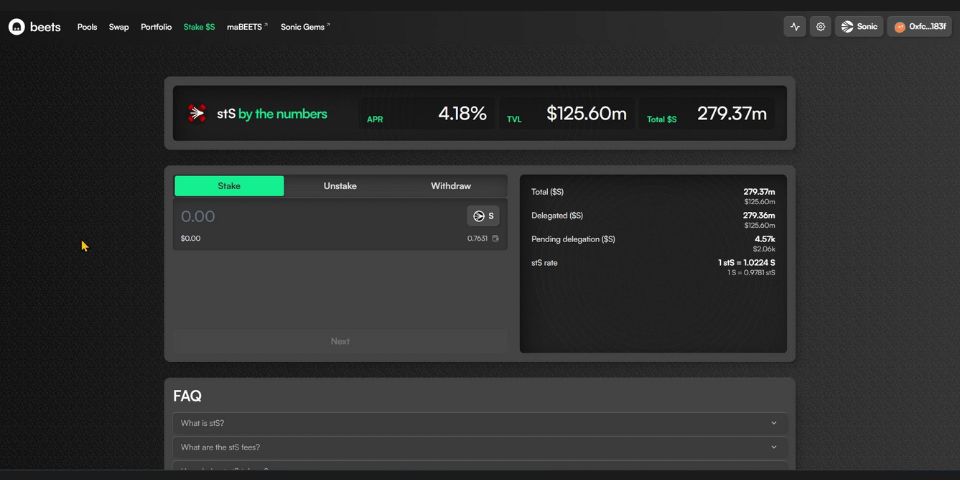
Step 2 of the Sonic tutorial for staking using Rabby on Beets

Approve the transaction in Rabby
Confirm the operation directly from your wallet to complete the process. Once confirmed, your stS balance will appear both in your wallet and on the Beets dashboard.
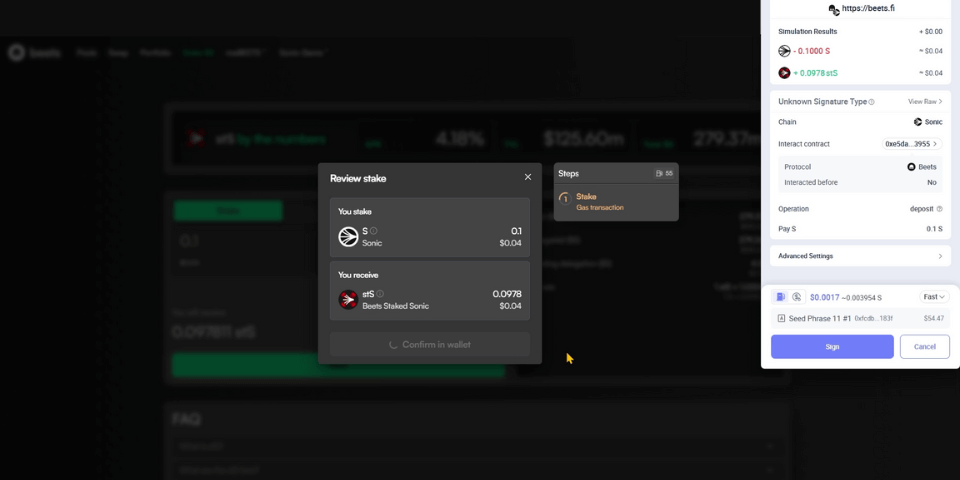
Step 3 of the Sonic tutorial for staking using Rabby on Beets
Join our community
Discover more about us and stay connected with the latest updates and community insights


