









How to stake SOL with Solflare
Our staking tutorials provide comprehensive guidelines on how to stake SOL. Are you ready to join our staking community?
Follow this step by step below

Select SOL from the token list
Go to stakely.io and scroll down until you see the token list. Select SOL and click Connect Wallet.
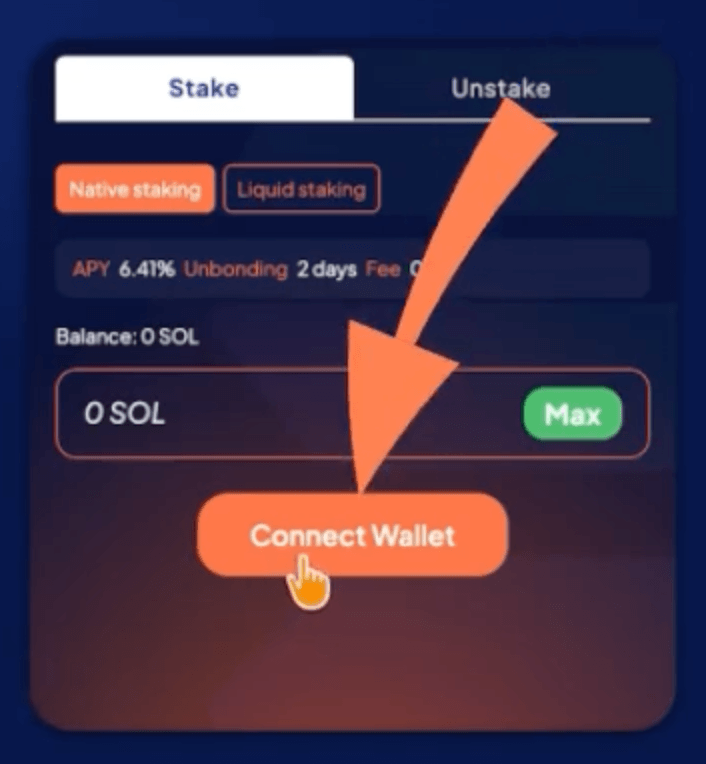
Step 1 of the Solana tutorial for staking using Solflare

Select Solflare and connect your wallet
In this example, we will use Solflare Wallet, so select it from the list to connect your wallet. If you do not have it yet, download the Solflare extension for your browser.
Then, you can create a new wallet, import an existing one using your seed phrase, or connect a compatible Ledger device.

Step 2 of the Solana tutorial for staking using Solflare

Stake SOL
Enter the amount of SOL you want to delegate in the corresponding field.
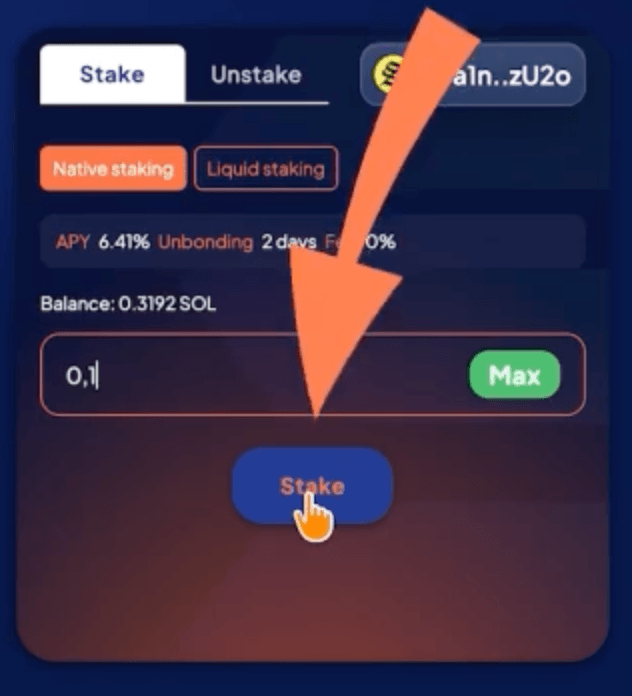
Step 3 of the Solana tutorial for staking using Solflare

Approve the transaction
Make sure everything is correct, click Stake, and approve the transaction in your Solflare wallet.
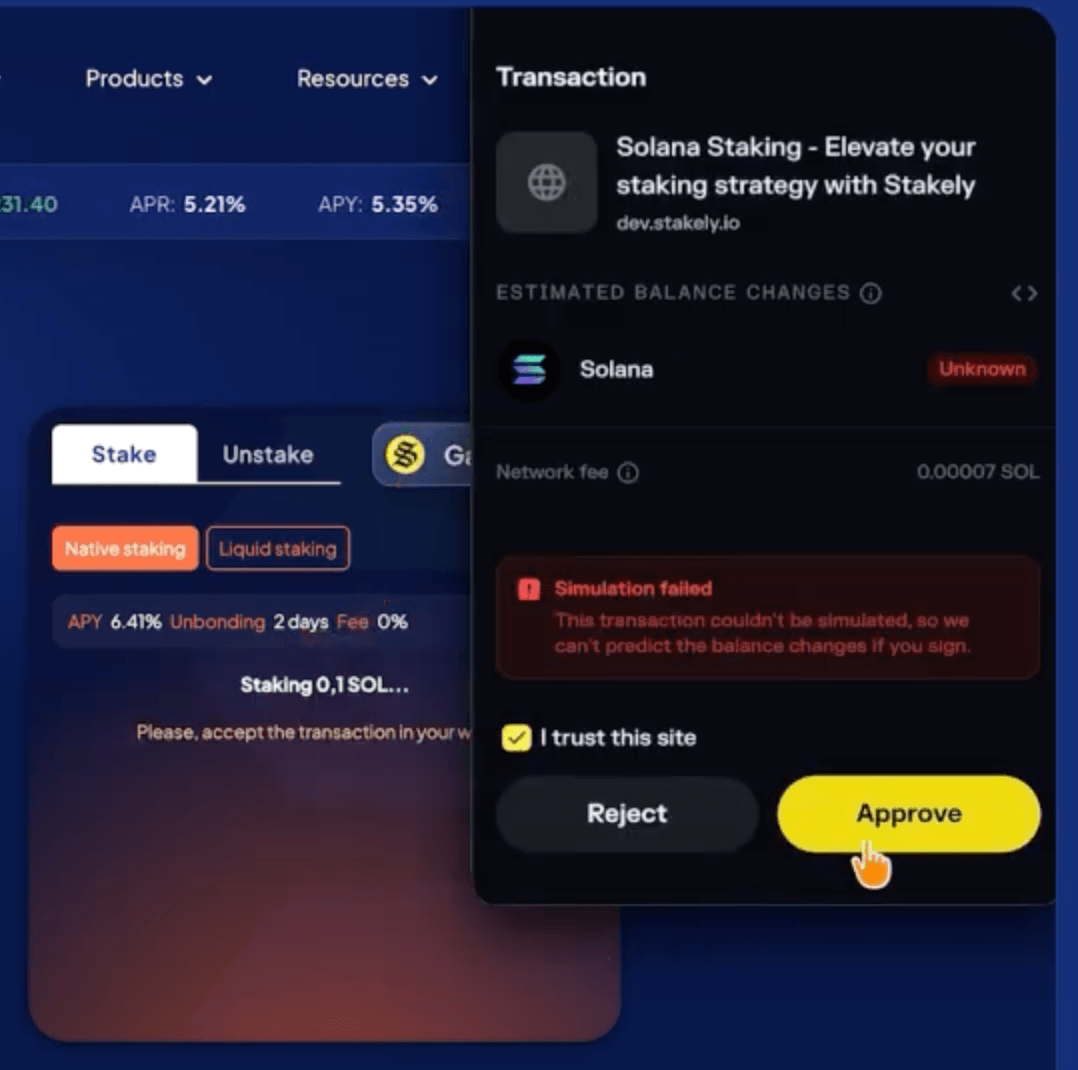
Step 4 of the Solana tutorial for staking using Solflare
You can also stake with others wallets


Join our community
Discover more about us and stay connected with the latest updates and community insights


