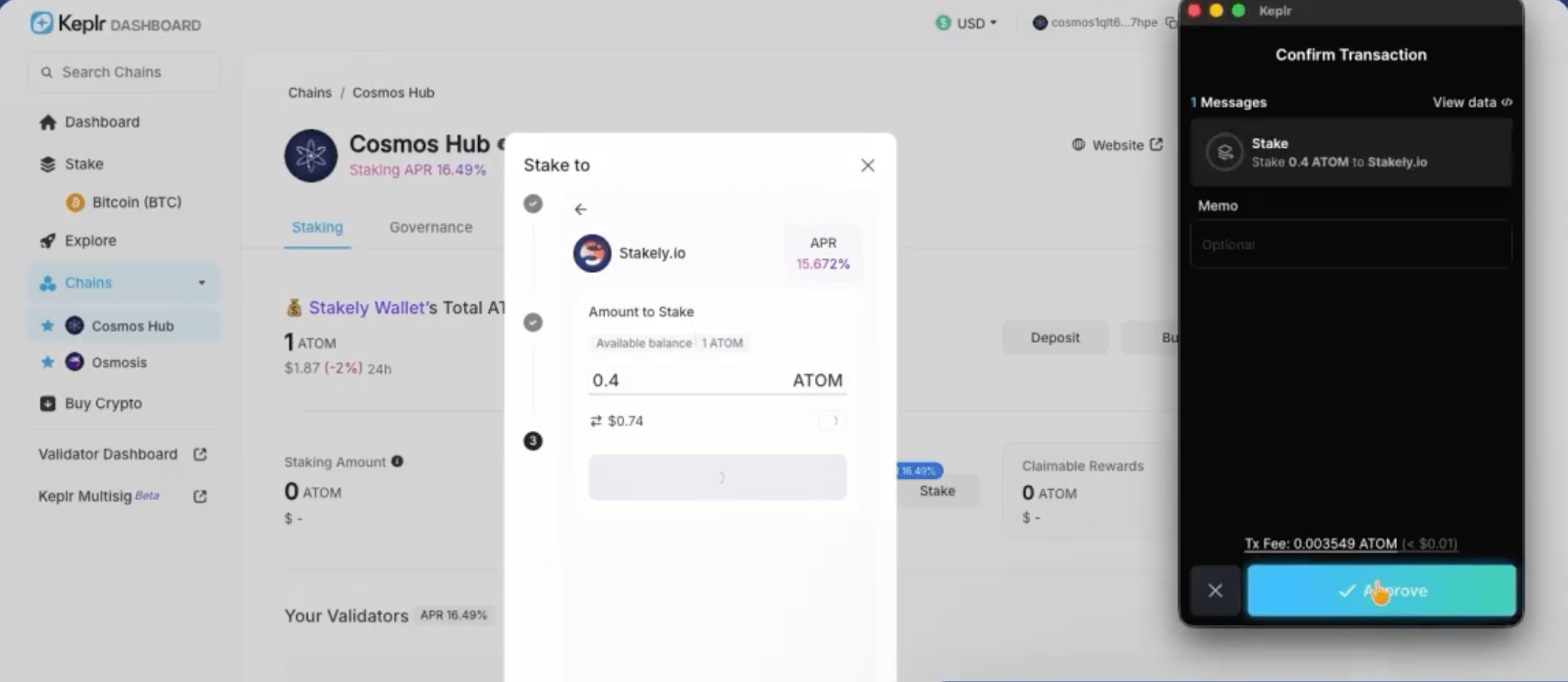







How to stake ATOM with Keplr
Follow this step by step below

Install Keplr to stake ATOM
To stake ATOM, you will need a wallet compatible with Cosmos. The Keplr wallet is one of the most popular options for interacting with the Cosmos ecosystem. If you don’t already have a Keplr wallet, install the Keplr extension compatible with your browser. When you open it, you can create a new account, import an existing one using a seed phrase, or connect a Ledger device with the Cosmos Ledger app active.


Connect your wallet in Keplr Dashboard
Go to the Keplr Dashboard and click Connect Wallet to connect your Keplr wallet. Once connected, you will be able to access the dashboard and manage your assets across the Cosmos ecosystem.
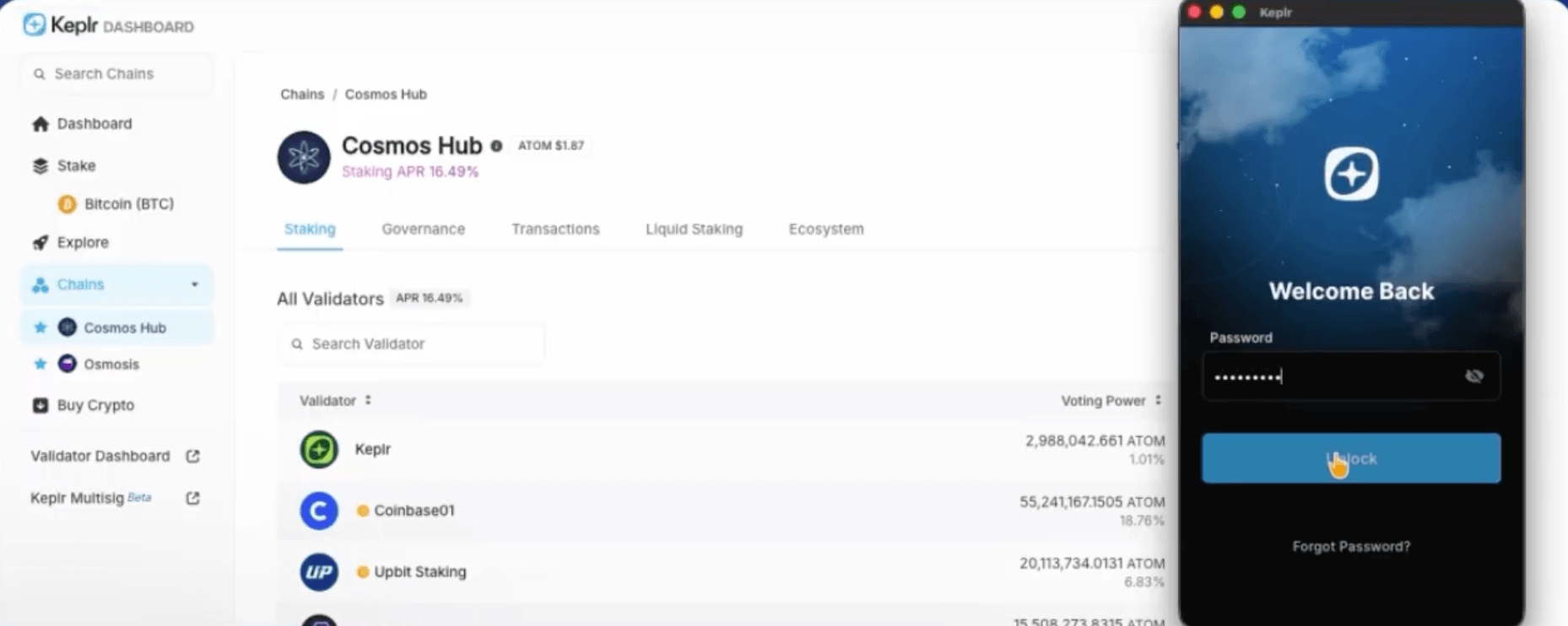

Stake ATOM with Stakely
In the dashboard, click Chains and select Cosmos Hub from the list of networks. Then click Stake to open the validator list. Search for Stakely, select it, and click Stake.
Enter the amount of ATOM you want to delegate. It is recommended to leave a small amount undelegated to cover network fees.
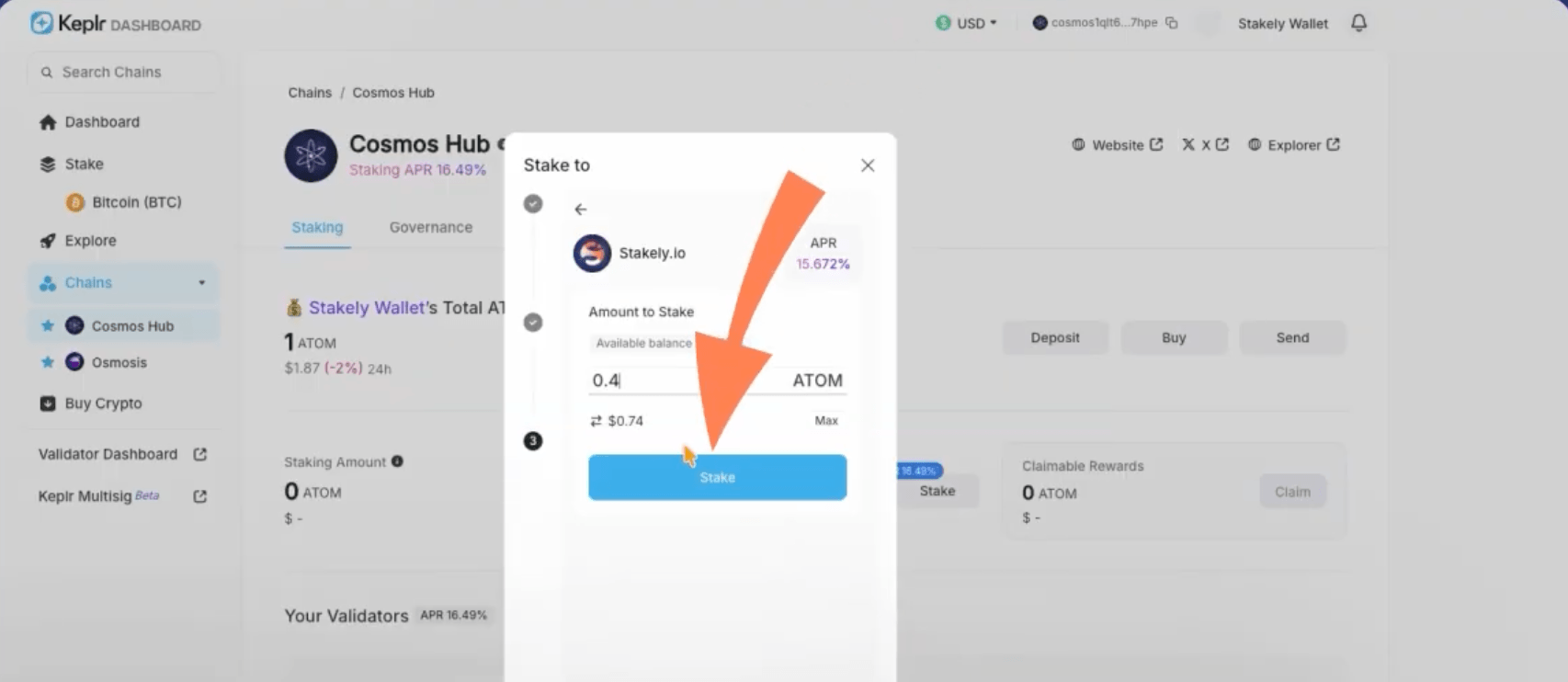

Confirm your ATOM delegation
Click Stake again and approve the transaction in your Keplr wallet. Once confirmed, your ATOM delegation will become active and start earning rewards.