











How to stake ALGO with Pera
Our staking tutorials provide comprehensive guidelines on how to stake ALGO. Are you ready to join our staking community?
Follow this step by step below

Open the staking interface
Go to Algorand's staking platform. This page displays Stakely’s official validator (stakely.algo) on the Algorand network. You’ll stake your ALGO directly from here.
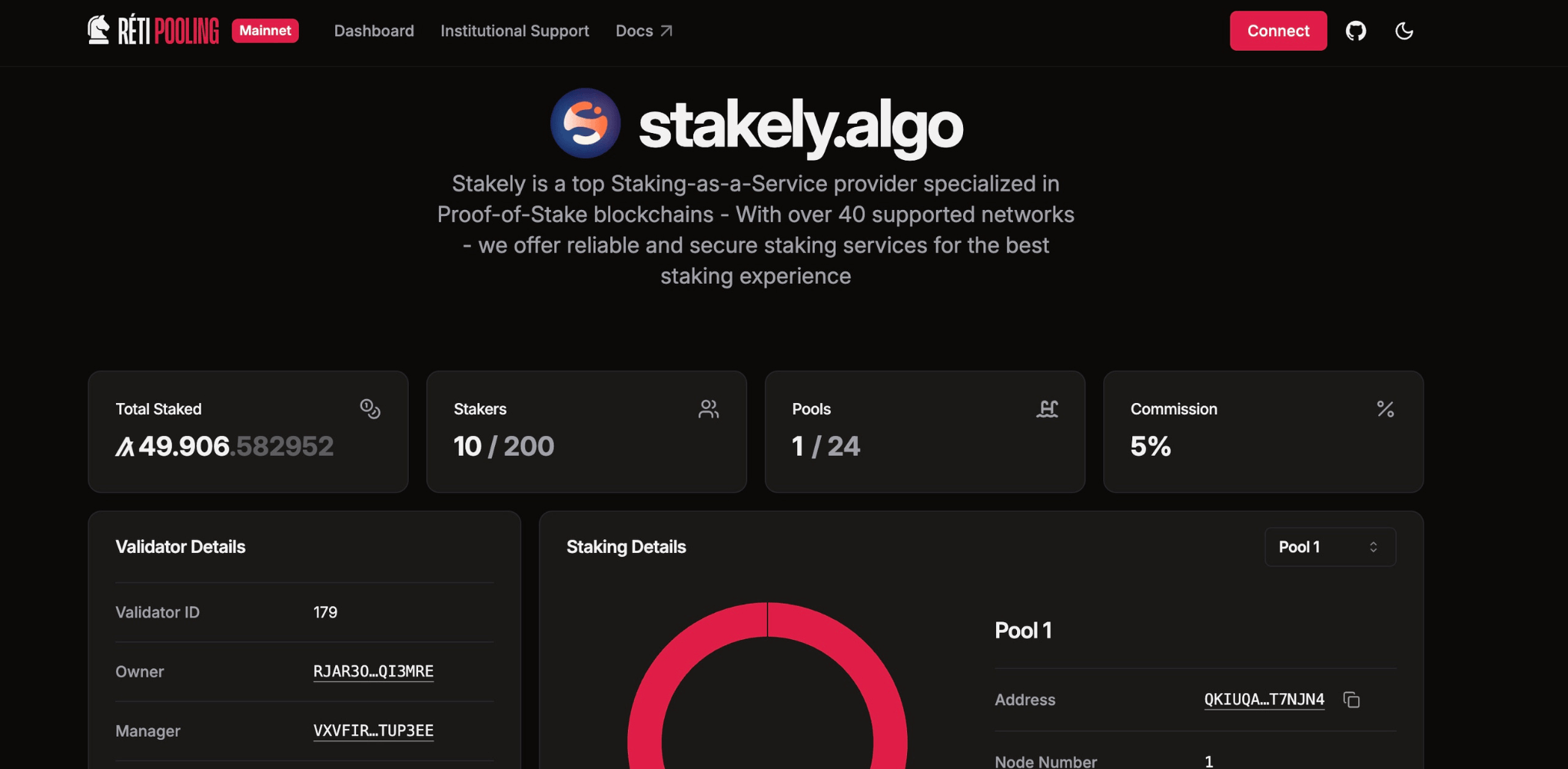
Step 1 of the Algorand tutorial for staking using Pera

Connect your Pera Wallet
Click “Connect Wallet”. Choose Pera Wallet. Scan the QR code from your mobile app or approve the connection via the browser extension. Once connected, your wallet address will appear on the page.
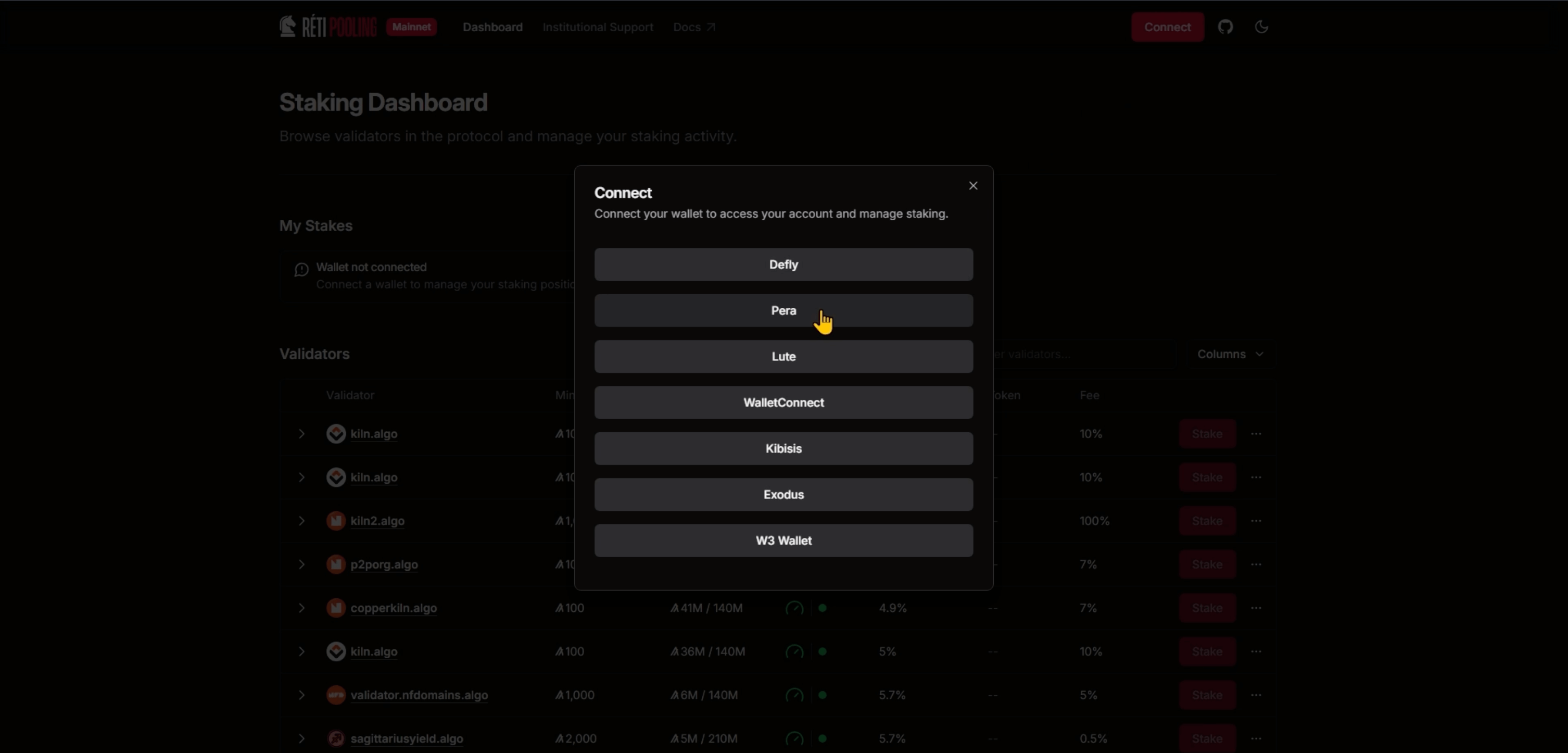
Step 2 of the Algorand tutorial for staking using Pera

Enter the amount of ALGO to stake
Type the number of ALGO you wish to stake. The minimum entry on Stakely's pool is only 1 ALGO.

Step 3 of the Algorand tutorial for staking using Pera

Confirm and sign the transaction
Your wallet will prompt you to approve the transaction. Check the transaction details (amount, validator address, and network) and sign it. The transaction will be confirmed on the Algorand blockchain within seconds. You can view or withdraw your stake anytime via the same Reti interface.
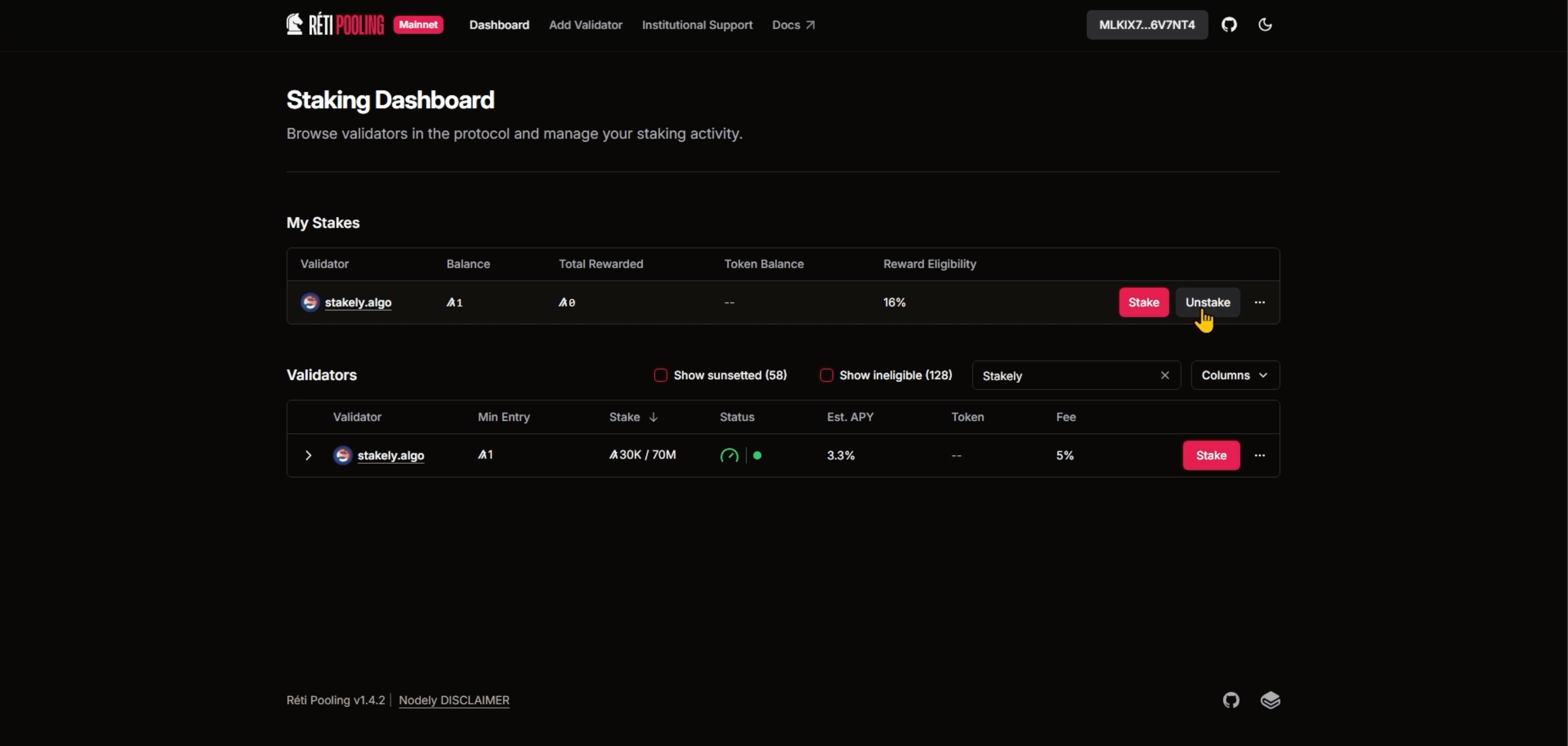
Step 4 of the Algorand tutorial for staking using Pera
Join our community
Discover more about us and stay connected with the latest updates and community insights


